Installation
Requirements
You need Home Assistant 2026.7 or newer, HTTPS, HACS and an Android device at API 17 or newer. Add https://github.com/narolinus/RustyHAMA-integration to HACS as a custom repository in the Integration category. Install RustyHAMA, restart HA and add the integration under Settings → Devices & services.
Install the app
Install the signed APK from the home-page link or add the RustyHAMA F-Droid repository. A debug APK has a different signature and cannot replace a release APK without first removing it. Android needs microphone, camera and notification permissions only for enabled modules; location is never requested.
First start
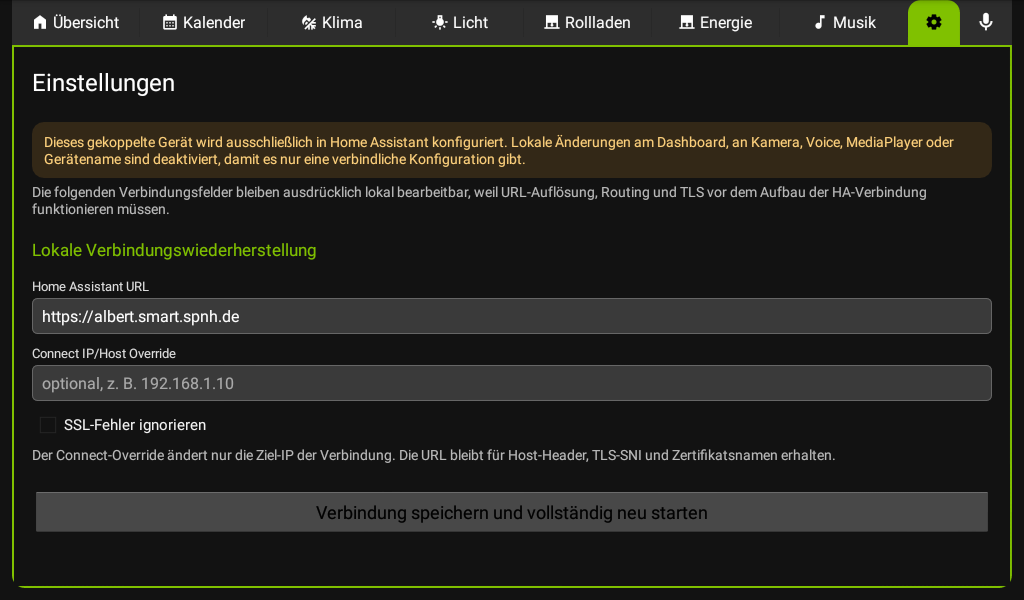
The first-start screen contains the HA URL, optional connection host, insecure TLS exception, pairing code and QR scanner. The two TLS escape hatches are intended for old or routed devices and remain editable later in app settings.