Editor, badges and conditions
JSON editor
JSON is the default view. The editor provides syntax highlighting, line numbers, bracket structure, tab indentation, immediate parse errors and server-side schema/reference validation. Views are Profile draft, Device override and read-only Effective configuration. Secrets such as api_key, token, password, secret or credential are rejected and belong in provider connections.
Visual editor
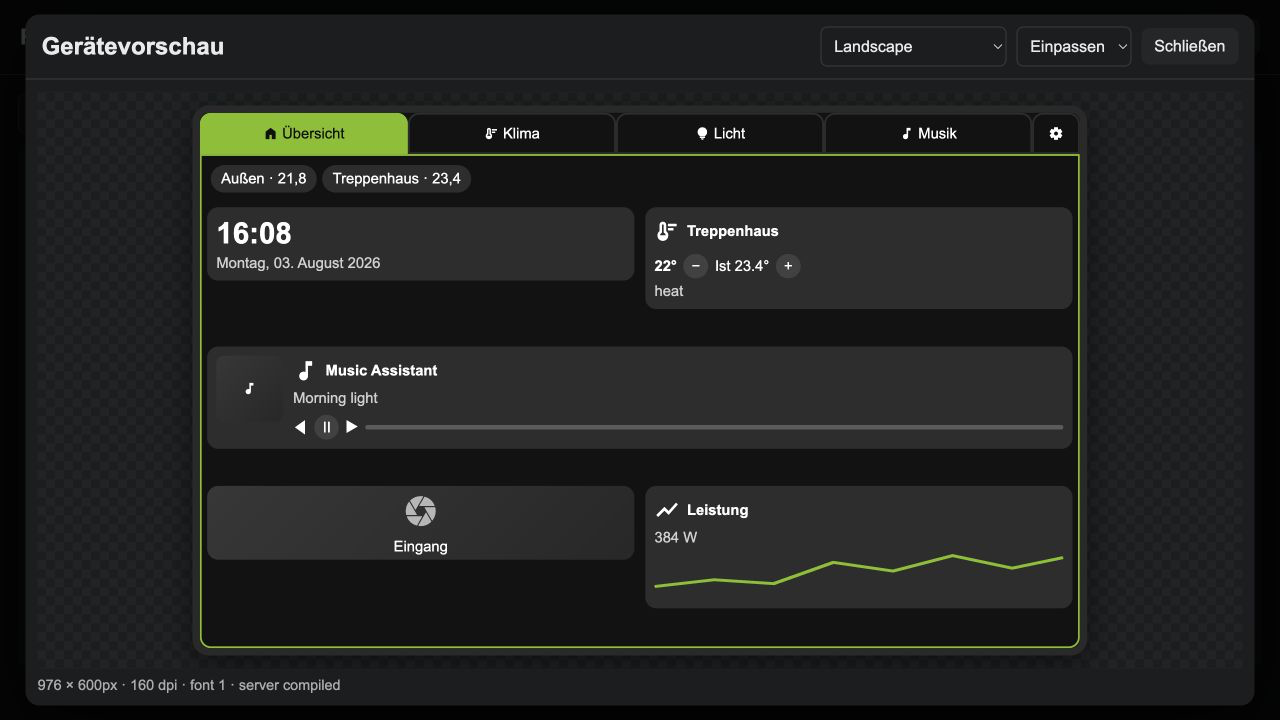
The visual editor changes real fields of themes, tabs, grids and standard widgets. Unknown or complex objects remain as unchanged advanced blocks in JSON. Device preview uses real HA states and server-compiled configuration, but different browser fonts and rendering engines make it a geometrically accurate approximation.
Badges
{
  "badges": [
    {"entity": "sensor.outdoor_temperature", "title": "Outside", "icon": "thermostat", "decimals": 1, "unit": "°C"}
  ]
}
A badge accepts entity/entity_id, title, icon, decimals, unit, prefix, suffix, theme/theme_override and a condition. Tabs control show_badges, badges_align and the list. Screensaver badges additionally use position and orientation fields from module configuration.
Conditions
{
  "type": "light",
  "entity": "light.entry",
  "condition": {"entity": "binary_sensor.home", "state": "on"}
}
condition, visibility or show_if accept entity/entity_id, state, state_not, equals, not_equals, attribute, above, below, unavailable and logical and, or, not. Missing or temporarily unavailable entities produce a warning; run time evaluates dynamic conditions using transferred states.